
Free Credit Note Template
Free credit note template - refunds and corrections, done right
Issue a refund or adjust a previously-sent invoice without breaking your accounts. Aviy credit notes link directly to the original invoice, recalculate balances, and keep a clean audit trail for tax filing.
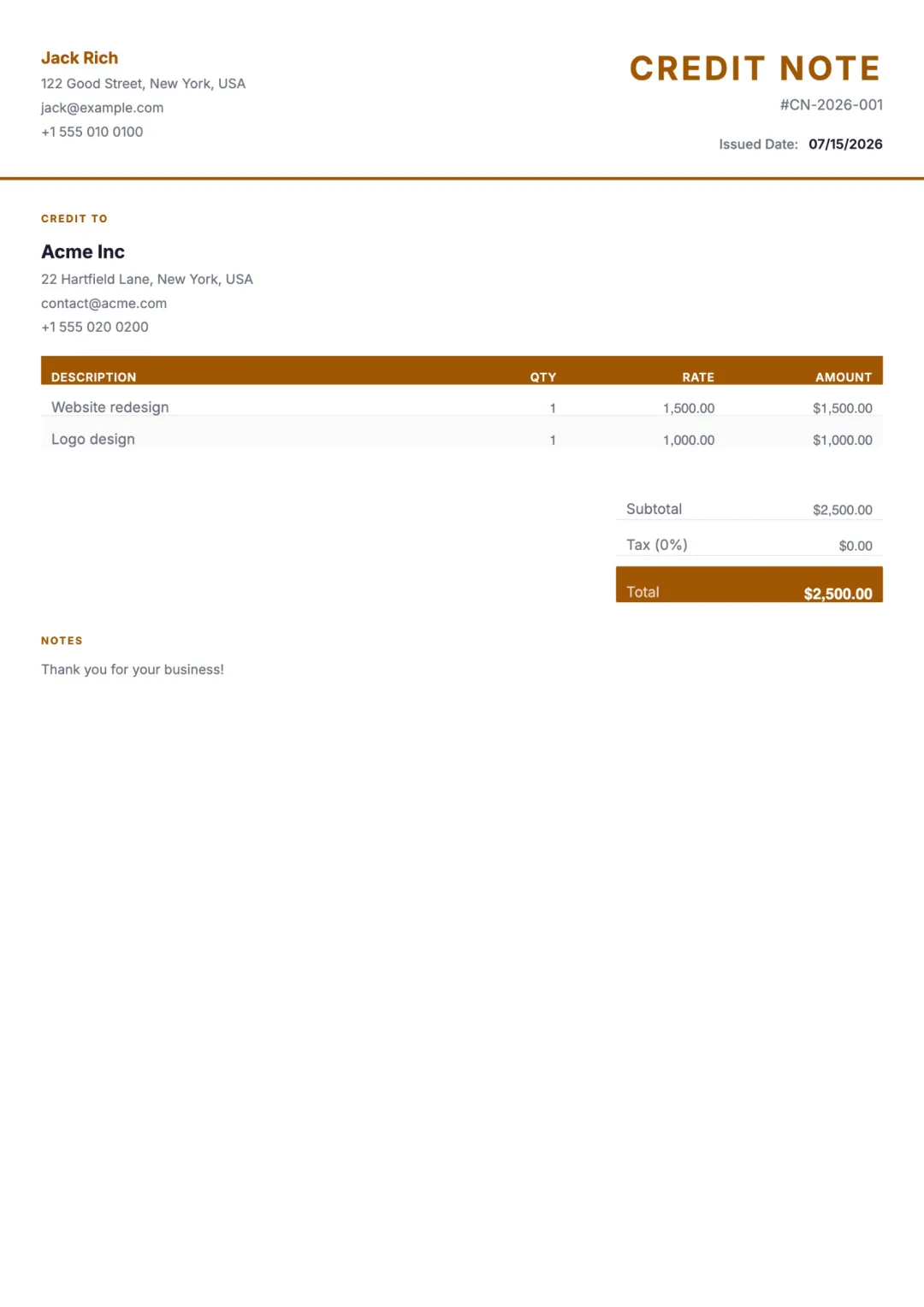
What’s included
- Your business name, logo, and brand colour
- Customer name and original invoice reference
- Credit note number and issue date
- Itemised description of what is being credited
- Reason for credit (refund, return, correction, write-off)
- Subtotal, tax adjustment, total credit amount
- Outstanding balance after credit applied
- Notes for the customer and your records
When to use a credit note
Issue a credit note when you need to reduce the amount a customer owes on an already-sent invoice. Common reasons: a refund, returned goods, a billing correction, a goodwill discount after the fact, or a write-off of bad debt.
A credit note is the cleaner alternative to deleting or modifying an invoice. It preserves the original record, documents the reason for the change, and gives accountants and tax authorities a clear trail.
How to create one with Aviy
- 1Open the original invoice in Aviy and click "Issue credit note".
- 2Aviy pre-fills the customer, invoice reference, and line items. Adjust quantities or amounts to match the credit.
- 3Add a reason - refund, return, correction, write-off - and any internal notes.
- 4Send by email or link. The customer sees the credit note alongside the invoice; your accounts adjust automatically.
Credit Note template FAQ
When should I issue a credit note instead of editing the invoice?
Once an invoice has been sent to a client (especially if they have already paid or partially paid), editing the original invoice creates accounting confusion and audit gaps. A credit note preserves the original record and documents the change explicitly. Always prefer a credit note for any post-send change.
Does a credit note need to reference the original invoice?
Yes. A credit note is meaningless without the original invoice it adjusts. Aviy links them automatically: opening either document shows the relationship and the resulting balance.
How does a credit note affect tax (VAT/GST)?
A credit note reverses the tax that was charged on the original invoice, in proportion to the amount being credited. Aviy calculates the tax adjustment automatically based on the original invoice rates.
Can a credit note be partial?
Yes. You can credit one line item, several lines, or just a portion of the invoice. The remaining balance is recalculated automatically.
Do I send a credit note to the customer or keep it for my records?
Both. The customer should receive the credit note as their record of the refund or adjustment. Aviy stores a copy in your dashboard, linked to the invoice, for your accounting and tax records.
Other free templates
Stop copy-pasting templates
Describe what you need in one sentence. Aviy generates a finished credit note you can download or send in seconds - for free.