
Free Invoice Template
Free invoice template - professional invoices in seconds
Bill clients with a clean, professional invoice. Add line items, taxes, due dates, payment terms, and a single-tap online payment link - without touching a spreadsheet. Free, customisable, and ready to send in seconds.
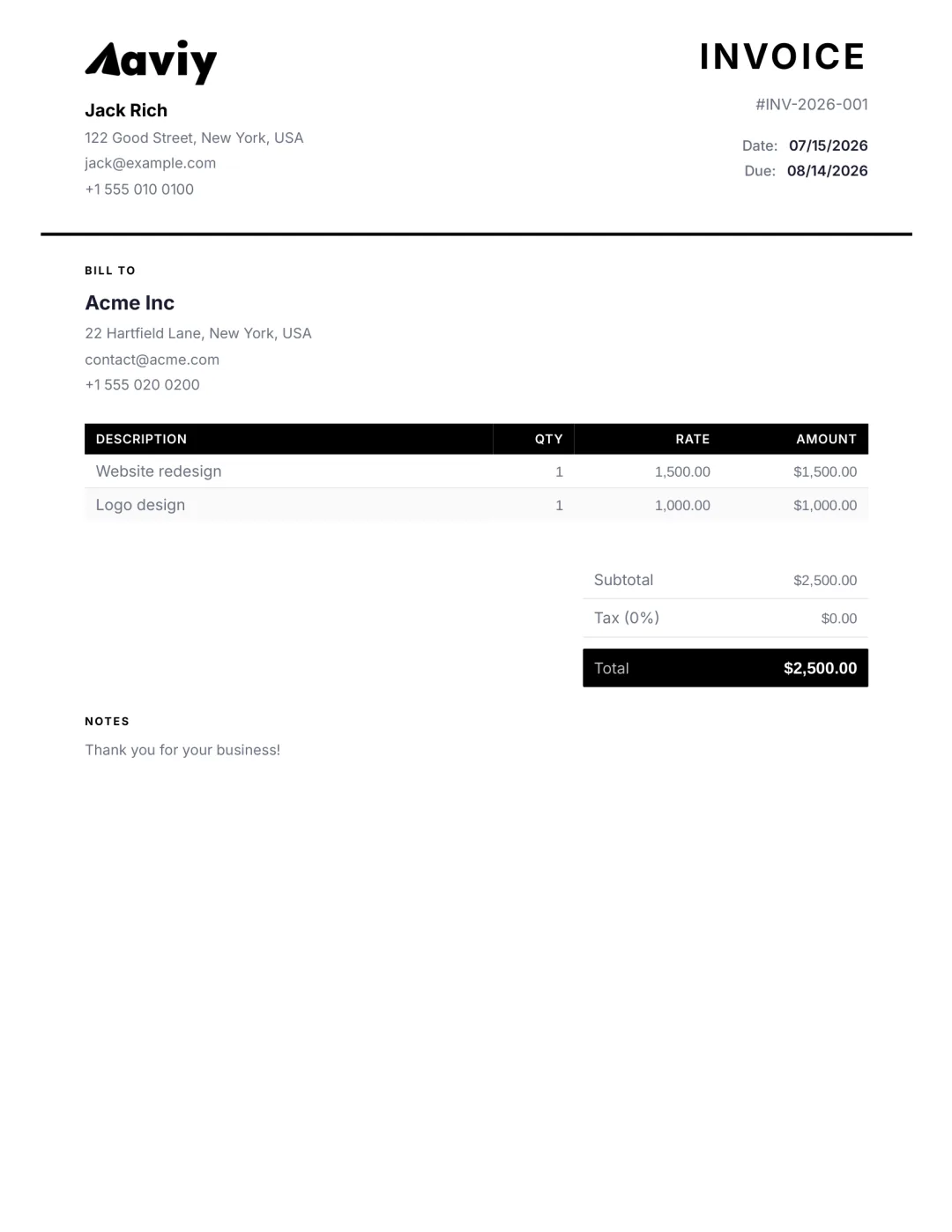
What’s included
- Your business name, logo, and brand colour
- Client name, billing address, and contact
- Itemised line items with description, quantity, rate
- Subtotal, tax (VAT, GST, sales tax), discount, total
- Currency formatting for any country
- Invoice number with auto-incrementing sequence
- Issue date, due date, and payment terms
- Online payment link via Stripe, PayPal, Square, Paystack and more
- Bank transfer details (optional)
- Notes, terms, and signature
When to use an invoice
An invoice is what you send a client AFTER work is delivered. It is the formal request for payment, with a specific due date and clear breakdown of what they owe and why.
If the work has not started yet, send an estimate or a quote instead. If the client has already paid and you just need to confirm receipt, send a receipt.
How to create one with Aviy
- 1Open the AI invoice generator and type a sentence describing what you are billing for.
- 2Aviy parses the client, line items, amounts, taxes, and due date - and builds the invoice.
- 3Edit any field, choose a template, add your logo and signature.
- 4Download the PDF, share a link, or send via email/WhatsApp/SMS in one click.
Invoice template FAQ
Are Aviy invoice templates really free?
Yes. You can create, customise, download, and send invoices without paying or signing up. An Aviy account adds storage, recurring invoices, payment tracking, and team collaboration - but the templates and the AI generator are free forever.
What information does a professional invoice need?
Your business name and contact, the client name and contact, a unique invoice number, issue date, due date, an itemised list with quantities and rates, the subtotal, tax, discount (if any), the total amount due, and your payment terms. Aviy fills all of this in automatically.
Can I add my logo and brand colour?
Yes. Upload a logo and set a brand colour once in Aviy and every invoice you create afterwards uses your branding by default. You can also embed a saved signature.
Can clients pay an Aviy invoice online?
Yes. Connect any of nine payment providers — Stripe, PayPal, Square, Mollie, GoCardless, Mercado Pago, Paystack, Flutterwave, or Razorpay — and clients can pay with one tap directly from the invoice link. USDT (TRC20) and bank transfer work too. Aviy reconciles the payment automatically and marks the invoice paid in your dashboard.
Do I need to worry about VAT or sales tax?
Aviy supports per-line, per-document, and default tax rates including VAT, GST, sales tax, and HST. Set your default once and it applies to every new invoice; override per line when needed.
Can I send recurring invoices automatically?
Yes - recurring invoicing is included with an Aviy account. Set a frequency (weekly, monthly, quarterly, yearly), choose a delivery channel, and Aviy generates and sends each invoice automatically.
Other free templates
Stop copy-pasting templates
Describe what you need in one sentence. Aviy generates a finished invoice you can download or send in seconds - for free.
Invoice templates by industry
A tailored invoice template and free AI generator for over 150 trades and professions — pick yours to see exactly what to include and create an invoice in seconds.