
Free Estimate Template
Free estimate template - propose a price before work begins
A professional estimate that wins more jobs. Detail what you will deliver, itemise the price, set a valid-until date, and let your client approve in one click. Convert approved estimates into invoices instantly.
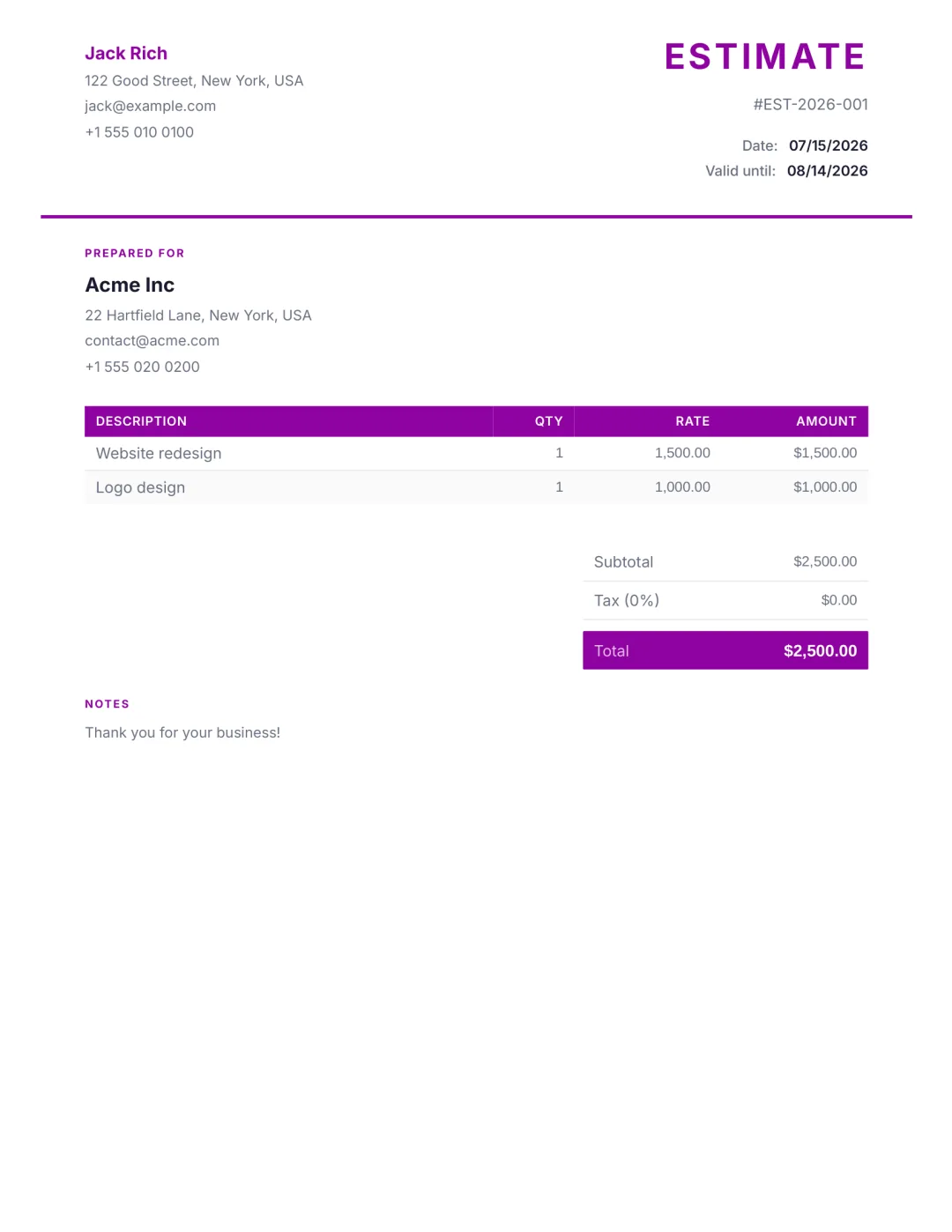
What’s included
- Your business name, logo, and brand colour
- Client and project details
- Itemised description with quantity and rate
- Subtotal, tax, discount, total
- Estimate number and issue date
- Valid-until expiry date
- Notes, scope, and assumptions
- One-click client approval link
- Convert-to-invoice action when accepted
When to use an estimate
An estimate is a non-binding price indication you give a client BEFORE work starts. It says: "Here is roughly what this project will cost, based on what I know today."
Use an estimate when the scope might shift, when you need to propose a ballpark before the contract, or when the client wants to compare prices. If the price is fixed and binding, send a quote instead.
How to create one with Aviy
- 1Open the AI generator and describe the work in a sentence: scope, line items, rough price.
- 2Aviy turns the description into a structured estimate. Adjust quantities, rates, or scope.
- 3Set a valid-until date so the price does not stay open forever.
- 4Send by email, link, or WhatsApp. The client can approve with one tap.
Estimate template FAQ
What is the difference between an estimate and a quote?
An estimate is a non-binding price indication; the final cost can move based on actual work done. A quote is a fixed-price commitment - what you quote is what the client pays. Aviy supports both.
How do I convert an approved estimate into an invoice?
When the client approves the estimate, Aviy shows a "Convert to invoice" action in your dashboard. One click creates the invoice with the same line items, client, and totals. You can edit before sending.
Can I include terms or assumptions?
Yes. Every estimate has a notes field for scope assumptions, payment terms, lead times, or anything else the client should know before approving. Notes carry through if you convert to an invoice.
How long should an estimate stay valid?
30 days is the most common window. It gives the client time to decide without locking you into pricing forever. Aviy lets you set any valid-until date you want.
Can a client approve the estimate online?
Yes. The estimate link includes an Approve button. The client clicks once; you get notified; the estimate is marked accepted in your dashboard.
Other free templates
Stop copy-pasting templates
Describe what you need in one sentence. Aviy generates a finished estimate you can download or send in seconds - for free.