
Free Quote Template
Free quote template - fixed-price proposals that win
A professional quote with clear scope, fixed pricing, and crisp acceptance terms. Use Aviy to generate, send, and track quotes - and convert accepted quotes into invoices in one click.
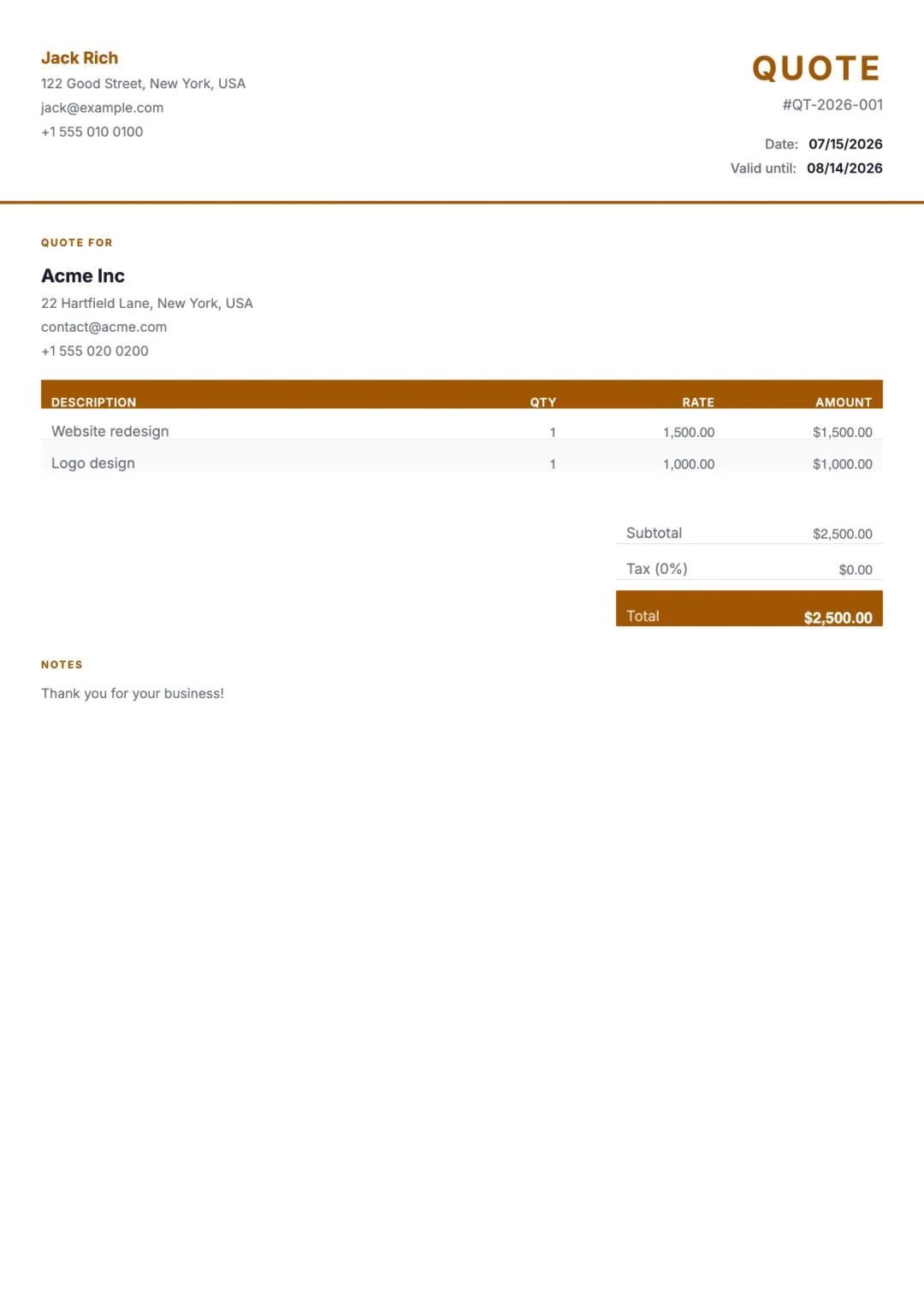
What’s included
- Your business name, logo, and brand colour
- Client name and project reference
- Itemised line items at fixed prices
- Subtotal, tax, discount, total
- Quote number, issue date, valid-until date
- Terms and conditions (payment, delivery, warranty)
- Acceptance signature or one-click approval
- Convert-to-invoice on acceptance
When to use a quote
A quote is a fixed-price commitment you send a prospective client. Unlike an estimate, the quoted price is what they will be billed - no upward adjustment unless scope changes in writing.
Use a quote when the work is well-defined, the deliverables are clear, and the client wants certainty on cost before approving. For exploratory or scope-uncertain work, send an estimate instead.
How to create one with Aviy
- 1Describe the project to the AI generator: client, deliverables, fixed prices.
- 2Aviy structures the quote with line items, totals, and a valid-until date.
- 3Add or edit terms and conditions - payment schedule, delivery date, warranty, change-order policy.
- 4Send via link or email. Client signs or one-click approves; quote converts to invoice on acceptance.
Quote template FAQ
Quote vs estimate - which should I use?
A quote is a fixed-price commitment; whatever you quote is what the client pays. An estimate is a ballpark that can move with actual work done. Use a quote when you can scope the work tightly enough to commit to a number; use an estimate when there is genuine uncertainty.
Should a quote include terms and conditions?
Yes. A good quote includes payment terms (e.g. 50% upfront, 50% on delivery), a delivery date, warranty or revision policy, and what happens if scope changes. Aviy gives every quote a terms field that flows through if you later convert to an invoice.
How long should a quote stay valid?
Typically 14–30 days. The shorter the window, the less exposure you have to cost changes. Aviy lets you set any valid-until date.
Can a client accept the quote online?
Yes. The quote link includes an Accept action. The client clicks once; you get notified; the quote is marked accepted and ready to convert into an invoice.
What if I need a signature instead of a click-to-accept?
Aviy supports embedded signature blocks. The client can type their name, draw a signature, or upload one. The signed quote is timestamped and stored with the audit trail.
Other free templates
Stop copy-pasting templates
Describe what you need in one sentence. Aviy generates a finished quote you can download or send in seconds - for free.